Manual installation of Quake Live config and custom HUD
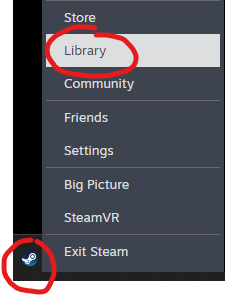
Step 1
Right-click on taskbar Steam icon and select Library.
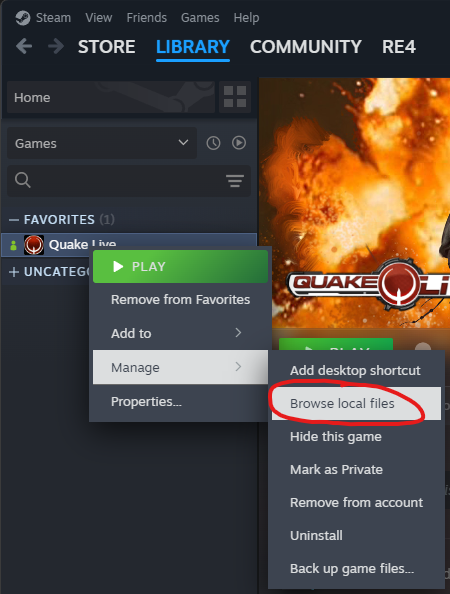
Step 2
Right-click on Quake Live and click on "Browse local files" within "Manage" section.
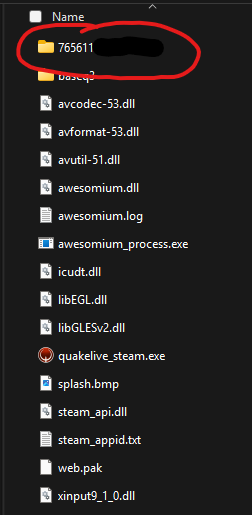
Step 3
Double-click on you steam ID and then double-click on "baseq3". If you steam ID is not present, try to start the game once, and go back to step 1.
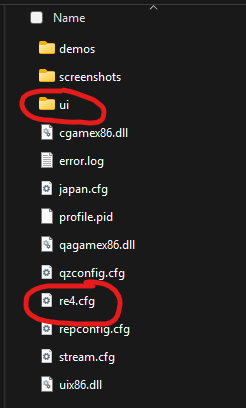
Step 4
Paste here your config file (.cfg) and HUD ("ui" folder).